
If you're the admin of your platform and you don't wish that your therapists use our video recording of live sessions function, you can disable this function for your therapists.
To prevent your existing therapists from video recording sessions follow these:
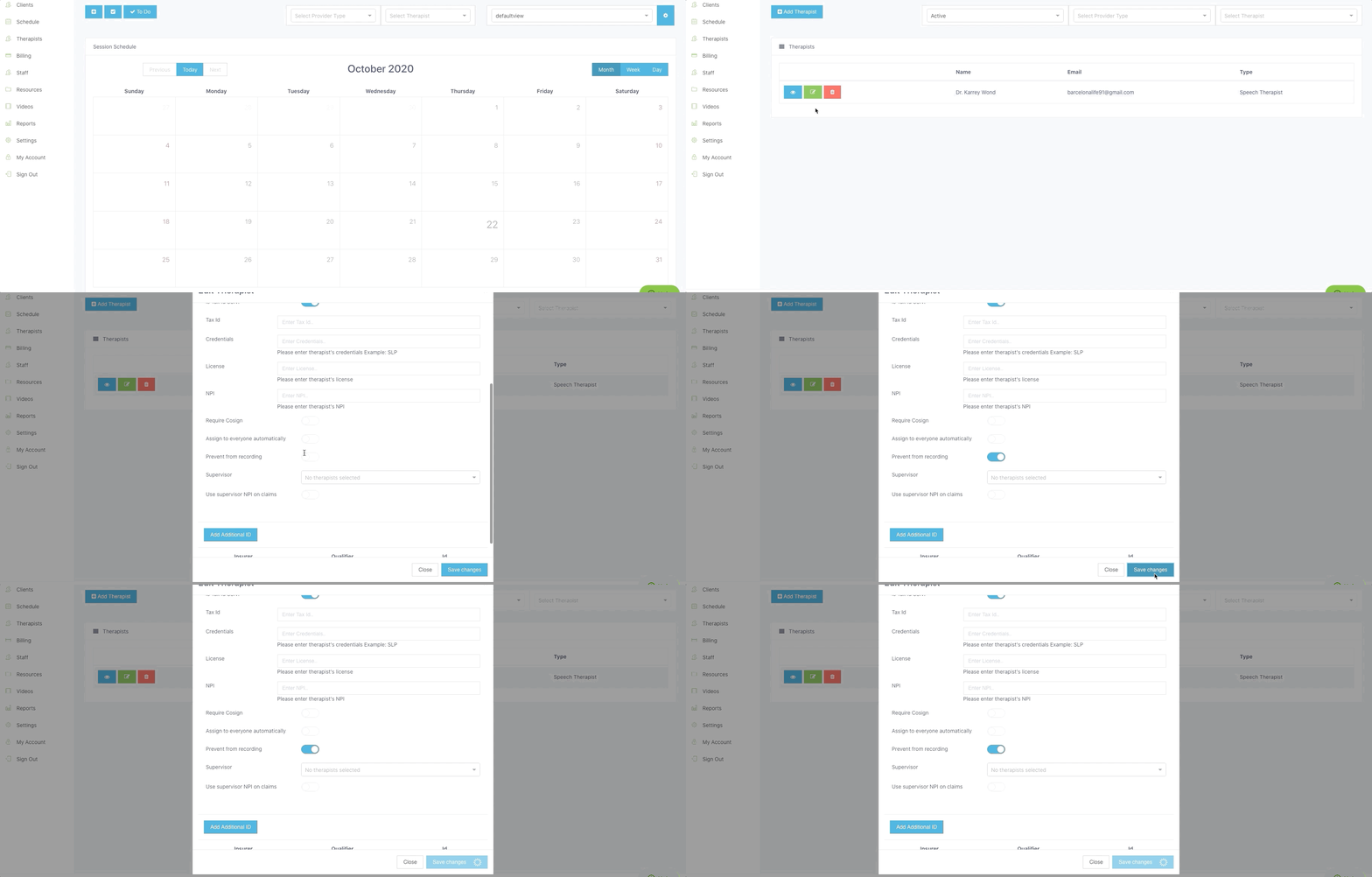
Step 1: Log in to your room (your personal URL).
Step 2: Click on the Therapists module.
Step 3: Click on the green Edit button next to the name of your therapist.
Step 4: At the pop-up box- scroll down and turn the switch on (so it shows blue) next to Prevent from recording.
Step 5: Then click on save changes.
Note: When you add a new therapist you can right away turn the switch on next to Prevent from recording
Comments
0 comments
Article is closed for comments.