
-
Sign in to your personal TheraPlatform room- URL and wait for the client.
-
Instruct the client to sign in as well to your personal TheraPlatform room and click "Join Instant".
-
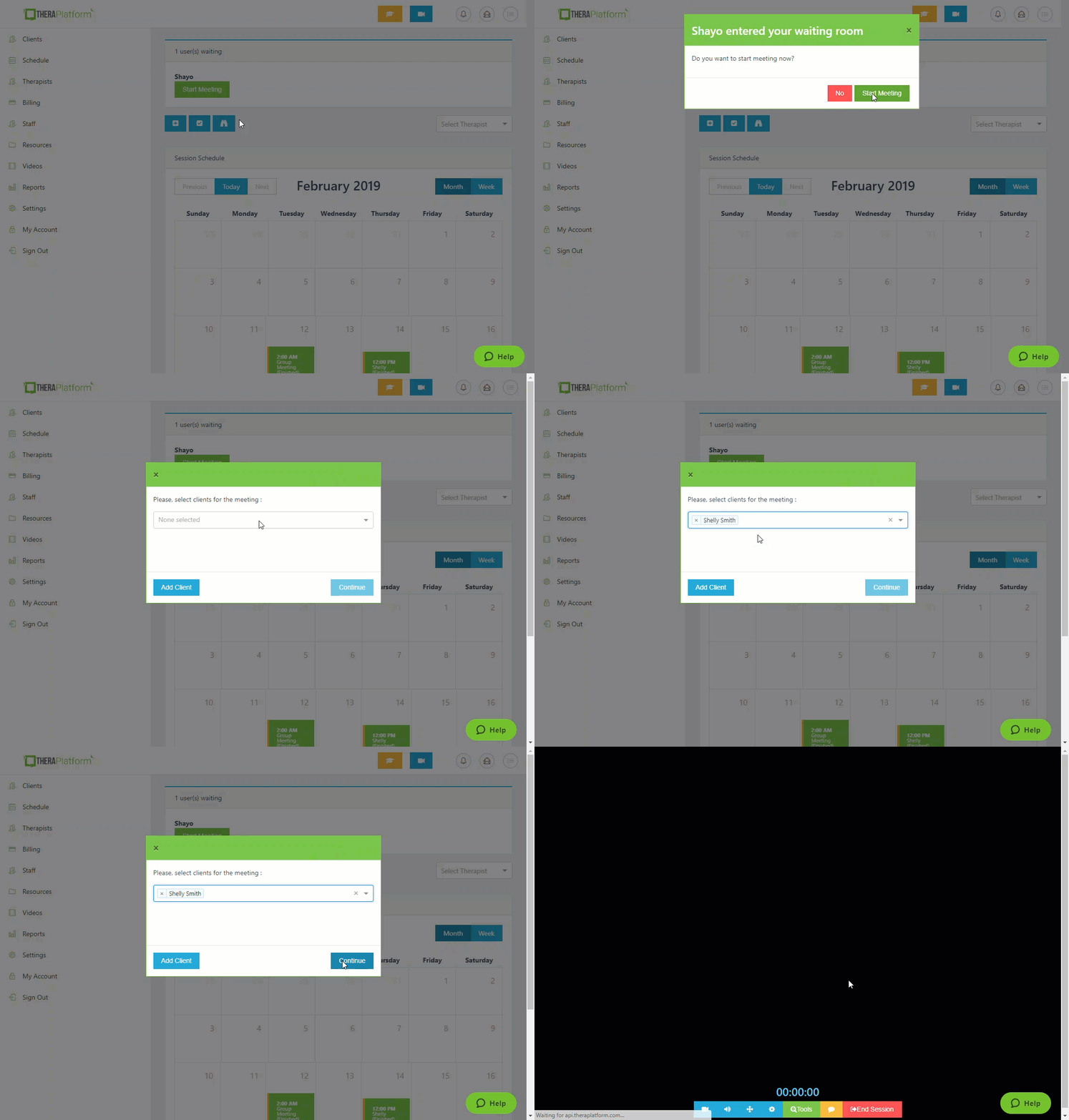
An alert will pop up on the main dashboard stating "___ entered your waiting room". If you you are unable to join that second, you can click the X to get rid of the pop up. When you are ready to join, go to the main page (Calendar) and you will see his/her name with the green box displayed on the main page under "Users Waiting".
-
Click on the green box with a message "Start Meeting", select the clients name and click "Continue" to start the meeting.
 Note: To schedule or meet your client instantly you need to first add your client to "Clients" list.
Comments
0 comments
Article is closed for comments.