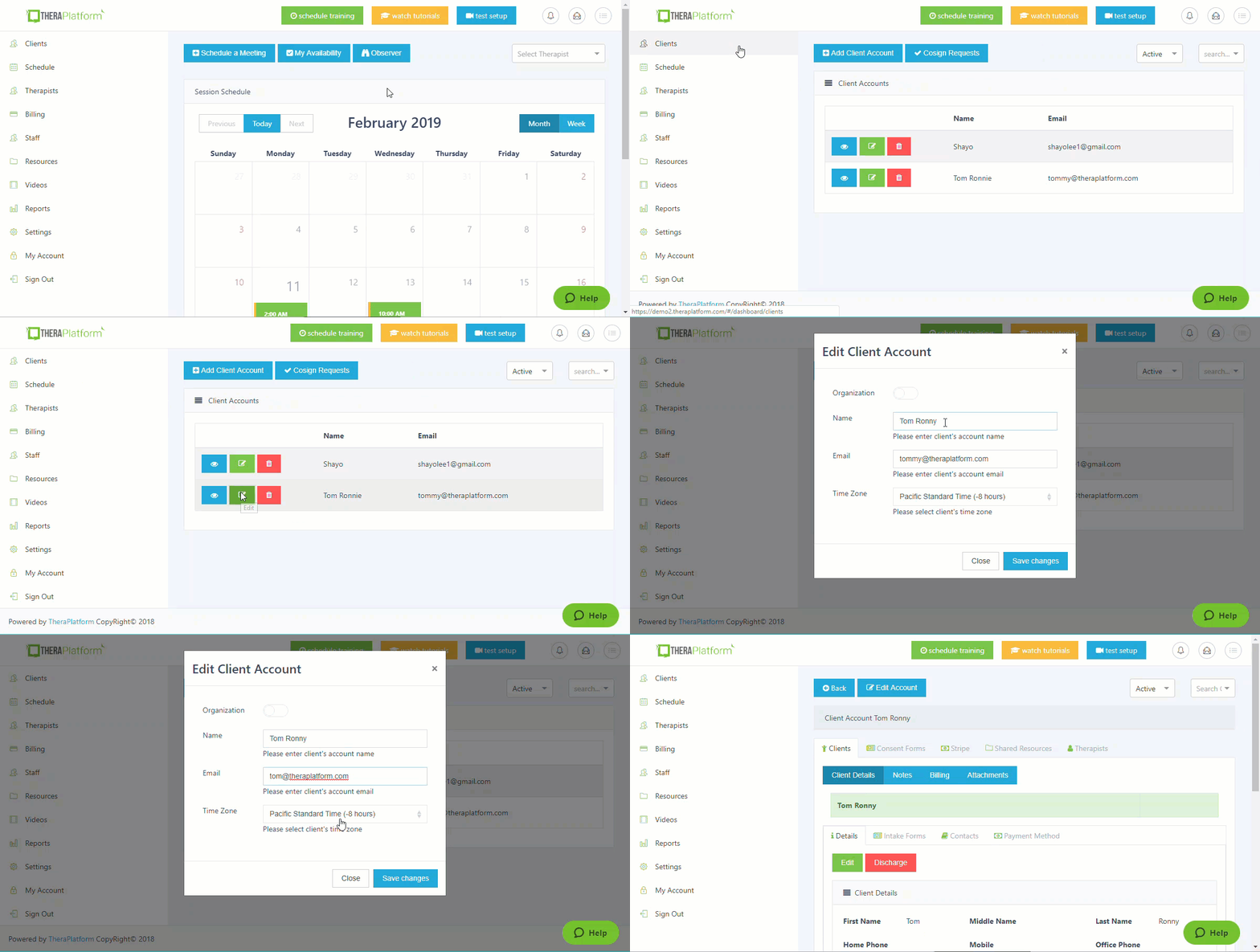
Step 1: Click on Clients.
Step 2: Click on Edit next to the client you wish to edit.
Step 3: Update your client's name, email, or time zone.
Step 4: Click on Save Changes.

Step 1: Click on Clients.
Step 2: Click on Edit next to the client you wish to edit.
Step 3: Update your client's name, email, or time zone.
Step 4: Click on Save Changes.
Comments
0 comments
Article is closed for comments.